What are AI agent skills in Orchly?
Skills are playbooks agents follow for a kind of job, like writing an AEO article or diagnosing a visibility drop. Use the built-in ones or write your own.
An AI agent skill in Orchly is a saved playbook that tells an agent how to do one kind of job, step by step. The agent is the worker; the skill is the method it follows. Skills make the same job come out the same way every time. It doesn’t matter if you ask in chat, run it in a table or put it on a schedule.
Every workspace comes with 8 built-in skills, and you can write your own.
Where to find skills
Switch the sidebar to Agent and click Skills. The page lists “Playbooks agents follow for a kind of job, picked in the chat’s Skills menu”. Filter with All, Built-in or Custom.
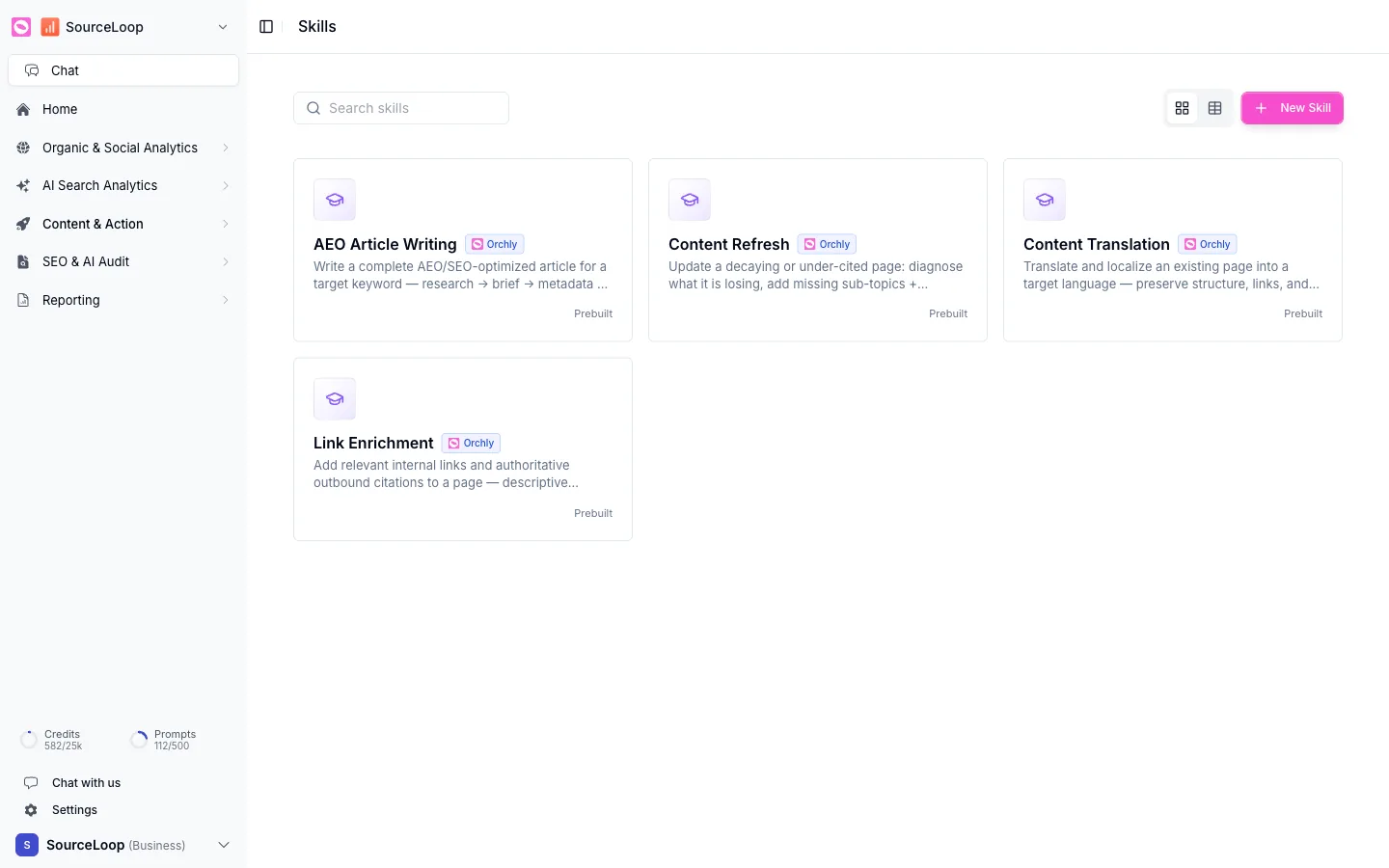
The 8 built-in skills
Built-in skills carry an Orchly badge. Five cover content work:
- AEO Article Writing: writes a complete AEO and SEO article for a target keyword, from research and brief to metadata, draft, FAQ and schema.
- Content Refresh: updates a decaying or under-cited page. It works out what the page is losing, adds missing sub-topics and citations, refreshes facts and strengthens links.
- Content Translation: translates and localizes a page into another language, finds the phrase that market actually searches for, and keeps the structure, internal links and AEO quality.
- Link Enrichment: adds relevant internal links and authoritative outbound citations, with descriptive anchors and no over-linking.
- Prompt Strategy: chooses which AI visibility prompts to track, based on the buying questions real customers ask AI engines, grouped into topics without duplicates.
Three are for diagnosing your AI visibility:
- Analyze a Competitor: takes one competitor and explains why AI answers pick them over you, which sources feed those answers, and the three things to do about it.
- Diagnose a Visibility Change: explains why your AI visibility moved. It rules out measurement changes first (added or paused prompts, a platform that went quiet, a newly tracked competitor), then pins the change on prompts, competitors, citations or sentiment, with evidence.
- Create an AI Visibility Report: produces a shareable report for a period with headline numbers, trend, competitive position, what changed and why, and what to do next.
Click any skill to read its full playbook.
How to use a skill
In Ask Orchly or any agent chat, type / in the message box and pick a skill, or open + → Use a skill. For example, pick Diagnose a Visibility Change and ask “why did our share of voice in ChatGPT drop last week?”
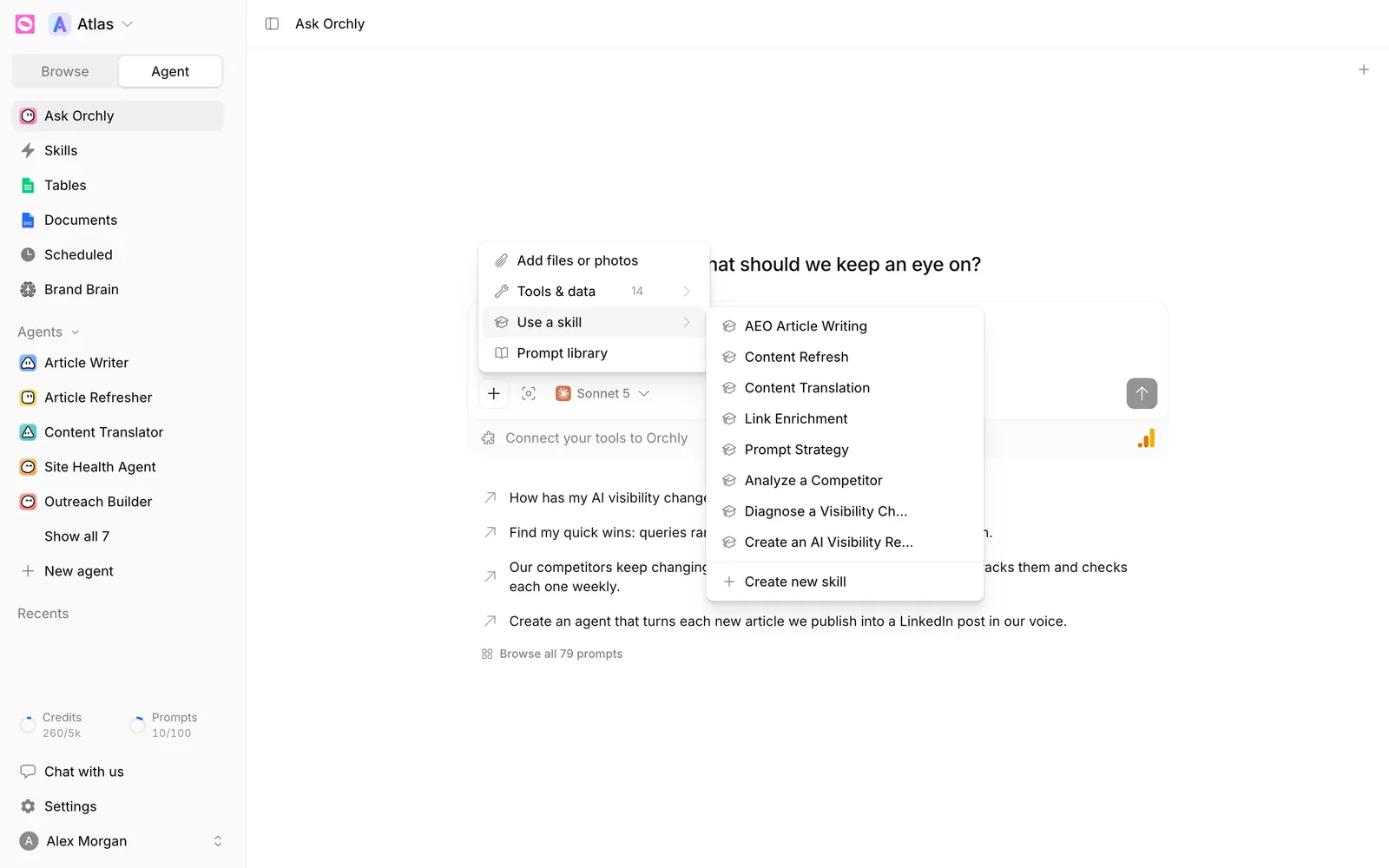
You don’t always have to pick one. Each skill has a one-line description, and agents read those to decide which skill to load for a request. Asking “write an article about CRM pricing for Google AI Overviews” will usually pull in AEO Article Writing on its own.
To make an agent always have a skill, add it in the agent’s Skills row. The Article Writer, for example, uses AEO Article Writing. See build your first agent.
AI agent skills vs agents
- A skill is the method: “how to write an AEO article”.
- An agent is the worker: a model, the data it can read, the tools it can use, and one or more skills.
The same skill can power several agents. Improve the skill once and every agent that uses it gets better.
A skill describes how to do a task. Your voice, facts and writing rules live in Brand Brain, which every agent reads. Keep brand rules out of skills and they stay reusable.
Can I edit a built-in skill?
Not directly, but you can copy one. Open it and click Duplicate & customize. You get your own copy under Custom to change however you like. See create a custom skill.