How to update your profile in Orchly
Change the name your team sees. Your email is the Google account you sign in with.
To update your profile in Orchly, open Settings at the bottom of the sidebar and click Profile under Account. Change your Name and click Save changes. Your email is shown there too, but it’s the address you sign in with, so you can’t edit it on this page.
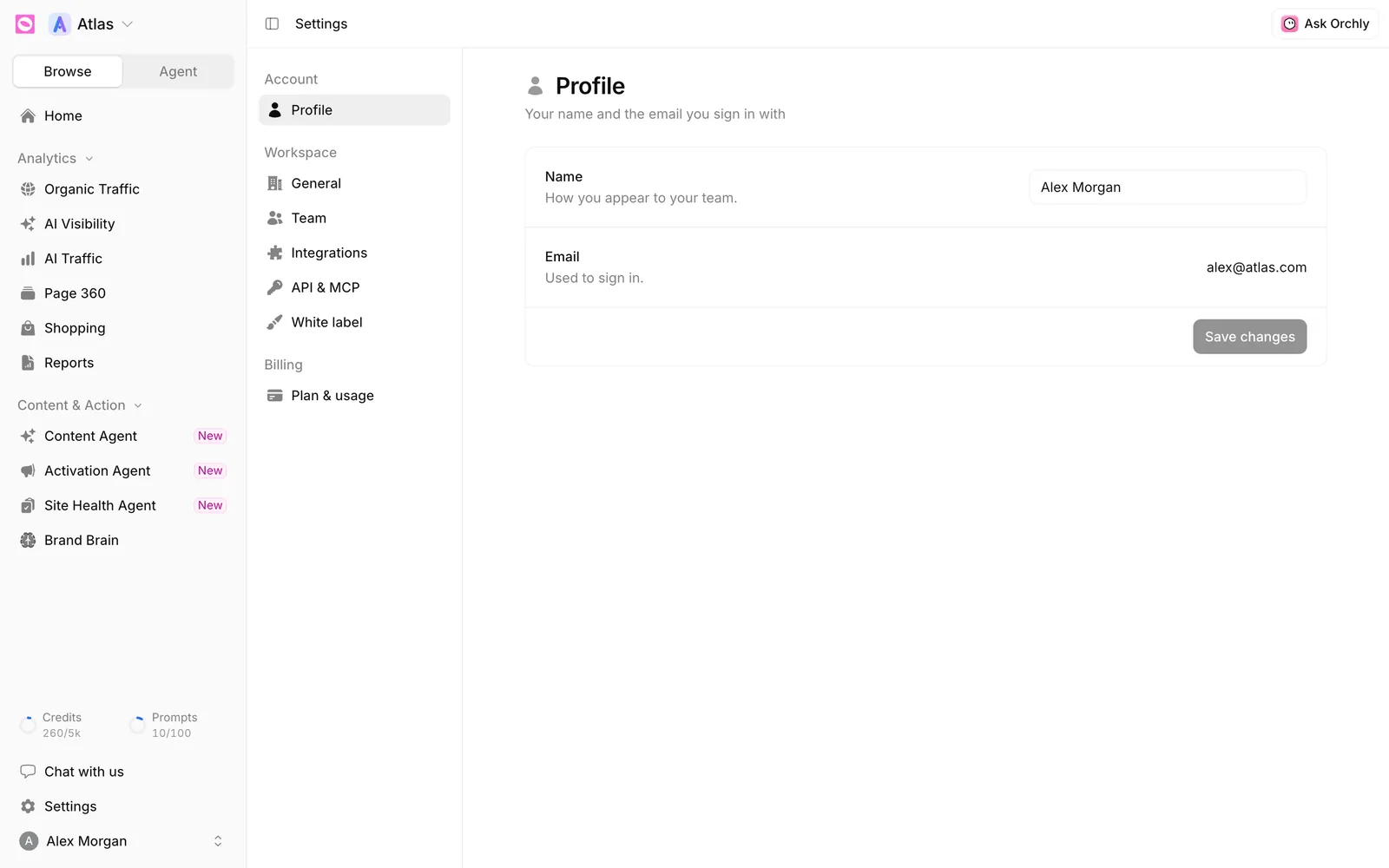
What’s on the Profile page?
| Field | What it’s for |
|---|---|
| Name | How you appear to your team, in the Team list and around the app |
| Used to sign in. Shown for reference only |
Save changes stays greyed out until you’ve changed your name, and it won’t save an empty one.
Profile is the only settings page that’s about you rather than a workspace. Changes follow you into every workspace you belong to.
How do I change my email address?
You can’t change it from Profile. Your email is your login, and team invitations are tied to it too.
If you need to use a different address, an Admin can invite the new email with the same role and workspaces. For anything else, like moving billing to a new login, contact support.
How do I change my password?
Profile doesn’t have a password field.
- Signed in with Google? There’s no Orchly password. Manage your login from your Google account.
- Signed in with email and password? Sign out, click Forgot password? on the sign-in page, and follow the link we email you.
What else do agents know about me?
Your profile only holds your name. If you want agents to remember how you like to work, like “keep summaries under five bullets” or “I review drafts on Fridays”, add a note under Brand Brain, then Personal. Only you and your agents see it. See how to set up Brand Brain.