Reddit marketing: find threads and reply with AI
The Activation Agent finds Reddit threads about your brand, competitors and category, and drafts helpful replies you post yourself.
Reddit marketing in Orchly runs through the Activation Agent. It finds Reddit threads that mention your brand, your competitors or your category, and drafts a helpful reply for each one. You decide which threads are worth joining, edit the draft, and post it yourself.
Open it from the sidebar under Content & Action → Activation Agent. Reddit is the first tab, next to YouTube and Backlinks.
Why Reddit marketing matters for AI search
Reddit is one of the sources ChatGPT, Perplexity and Google AI Overviews cite most, and Reddit threads rank high in Google too. When someone asks an AI engine “what’s the best CRM for a small team?”, the answer is often shaped by a thread from months ago.
So a single useful reply in the right thread can reach buyers directly, show up in Google, and feed the AI answers people read about your category. That’s why threads that already rank in Google are flagged in the queue.
The Reddit queue
Four cards across the top sort threads by where they are in your workflow. Click a card to open that pile.
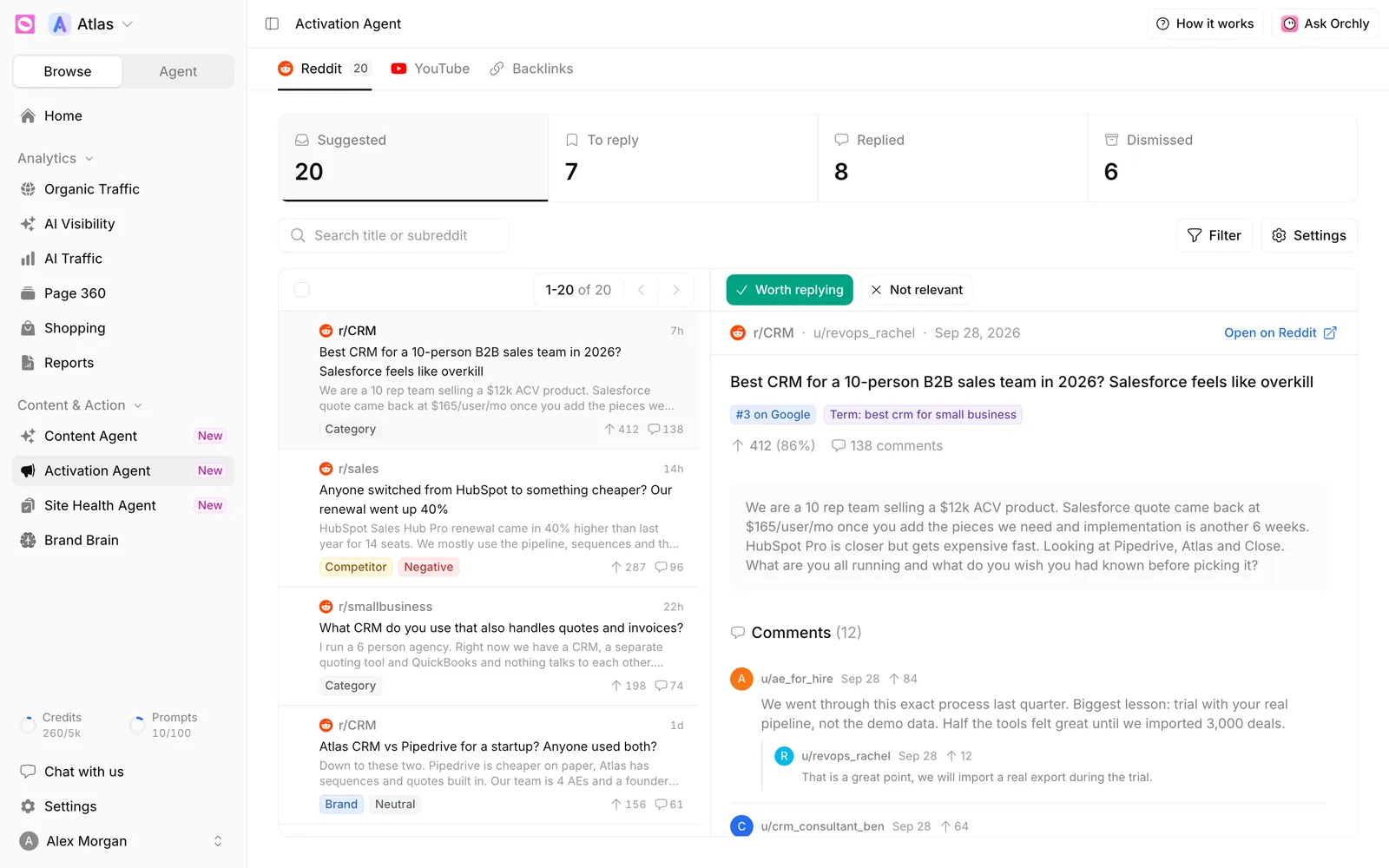
| Card | What’s in it |
|---|---|
| Suggested | New threads the agent found. This is your inbox |
| To reply | Threads you marked as worth replying to |
| Replied | Threads you’ve answered |
| Dismissed | Threads you ruled out |
Each thread in the list shows its subreddit, age, title, a preview, upvotes and comments, plus tags for the match type and sentiment (Positive, Negative or Neutral).
Use Search title or subreddit to find a thread, and Filter to narrow by type:
- Brand: threads that name you.
- Competitor: threads that name a rival.
- Category: threads about your space, even when no brand is named.
- Google ranked: threads sitting in Google’s top 20 for queries you care about.
Triage threads: worth replying or not relevant
Click a thread to read it on the right, with the full post, its comments, and a link to Open on Reddit. Tags show the term it matched and, for Google-ranked threads, its position (for example “#3 on Google”).
Then decide:
- Worth replying moves it to To reply.
- Not relevant moves it to Dismissed.
- Reopen sends a thread back to Suggested from any other pile.
To triage in bulk, tick several threads in the list and use the same buttons in the selection bar.
Some threads also show AI Citation Impact: how many times AI answers cited that thread, for which of your prompts, and by which platforms. Those are the ones where a reply does the most for your AI visibility.
Draft a reply with AI
Scroll to Your reply under the comments and click Draft with AI. The agent reads the thread and writes an answer that’s actually useful, mentioning your product only where it fits.
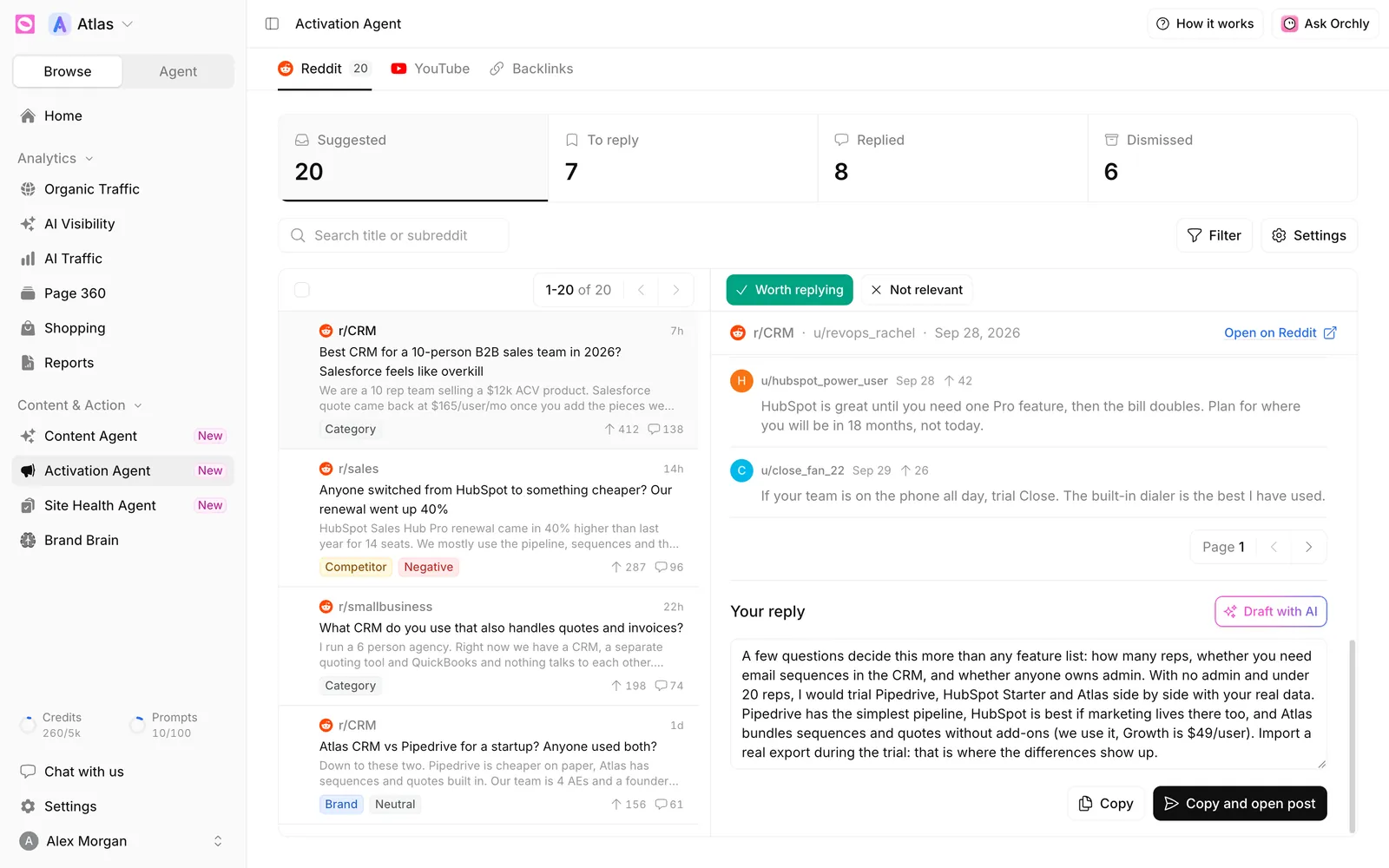
Edit the draft until it sounds like you. Then:
- Copy copies the reply.
- Copy and open post copies it and opens the thread on Reddit, ready to paste.
Orchly never posts to Reddit for you. You post from your own account, inside each community’s rules.
Subreddits remove obvious self-promotion fast, and a removed comment helps no one. Answer the actual question first. Mention your product when it genuinely fits, and say you work there.
Choose what the agent watches
Click Settings to open Reddit monitoring.
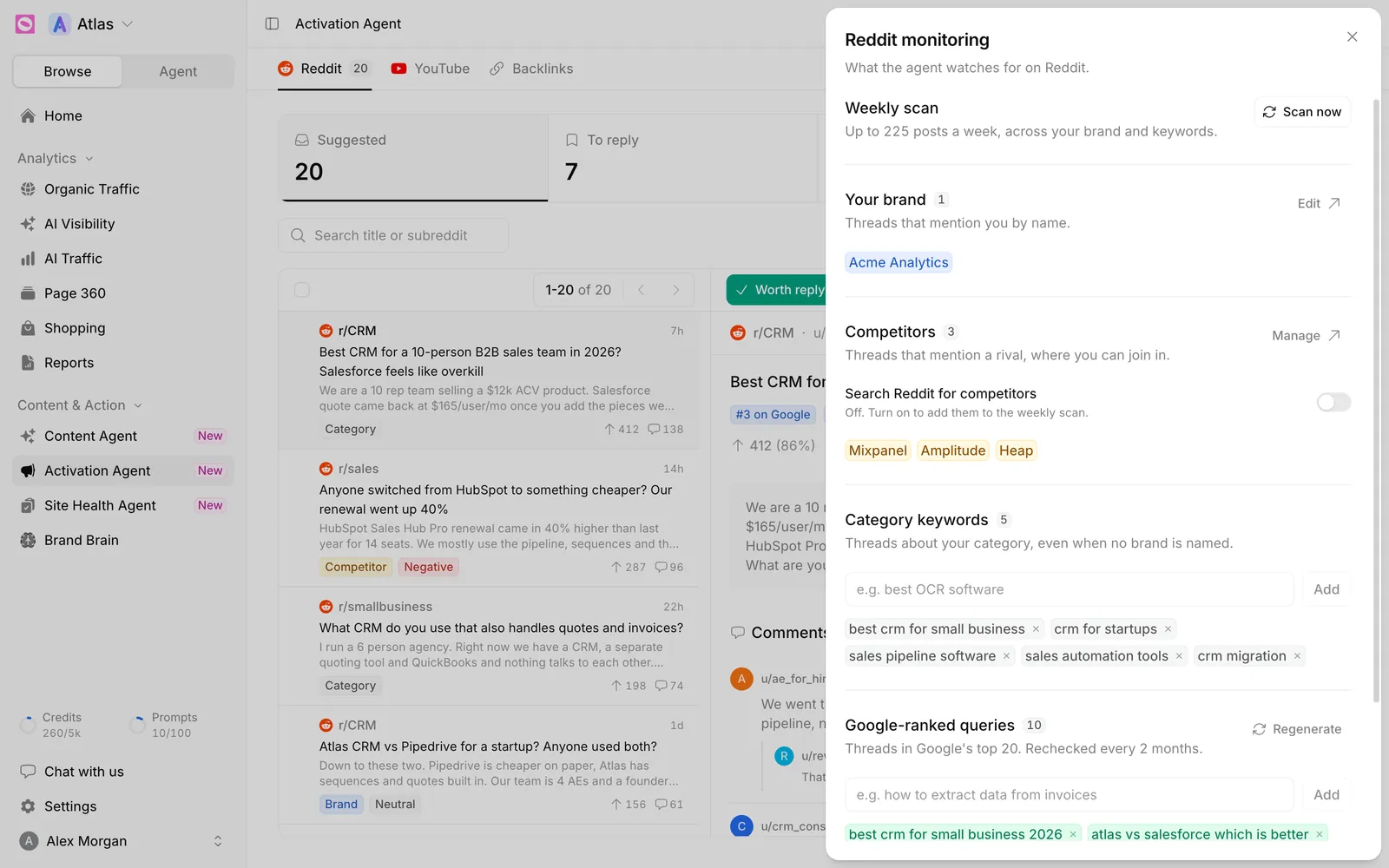
- Weekly scan: the agent scans Reddit every week, up to a set number of posts for your plan. Click Scan now to run one immediately. New threads appear within about five minutes.
- Your brand: taken from Brand Brain. Click Edit to change it there.
- Competitors: also from Brand Brain (Brand Brain competitors). Competitor scanning is off until you turn on Search Reddit for competitors.
- Category keywords: topics to watch, like “best CRM for small business”. Type one and click Add.
- Google-ranked queries: searches where Reddit threads rank in Google’s top 20. They’re generated on the first scan and rechecked every 2 months. Add your own, or click Regenerate.
Use the phrases people type when they’re shopping, like “best X for Y” or “X alternatives”. Threads from those searches are full of people ready to choose.
What’s on the YouTube tab?
The YouTube tab lists the videos AI answers cite for your tracked prompts, with how often each is cited and for which prompts. Switch the period between the last 7, 30 or 90 days, or all time.
It’s read-only. Use it to see which videos and channels shape AI answers in your space, then decide whether to make your own video or pitch the creator.