AI Identifies Opportunities
Analyzes Google Search Console data to surface actionable insights.
Connect your Google Search Console and get comprehensive insights at both page and keyword levels. Track rankings, impressions, clicks, and performance metrics to optimize your SEO strategy.
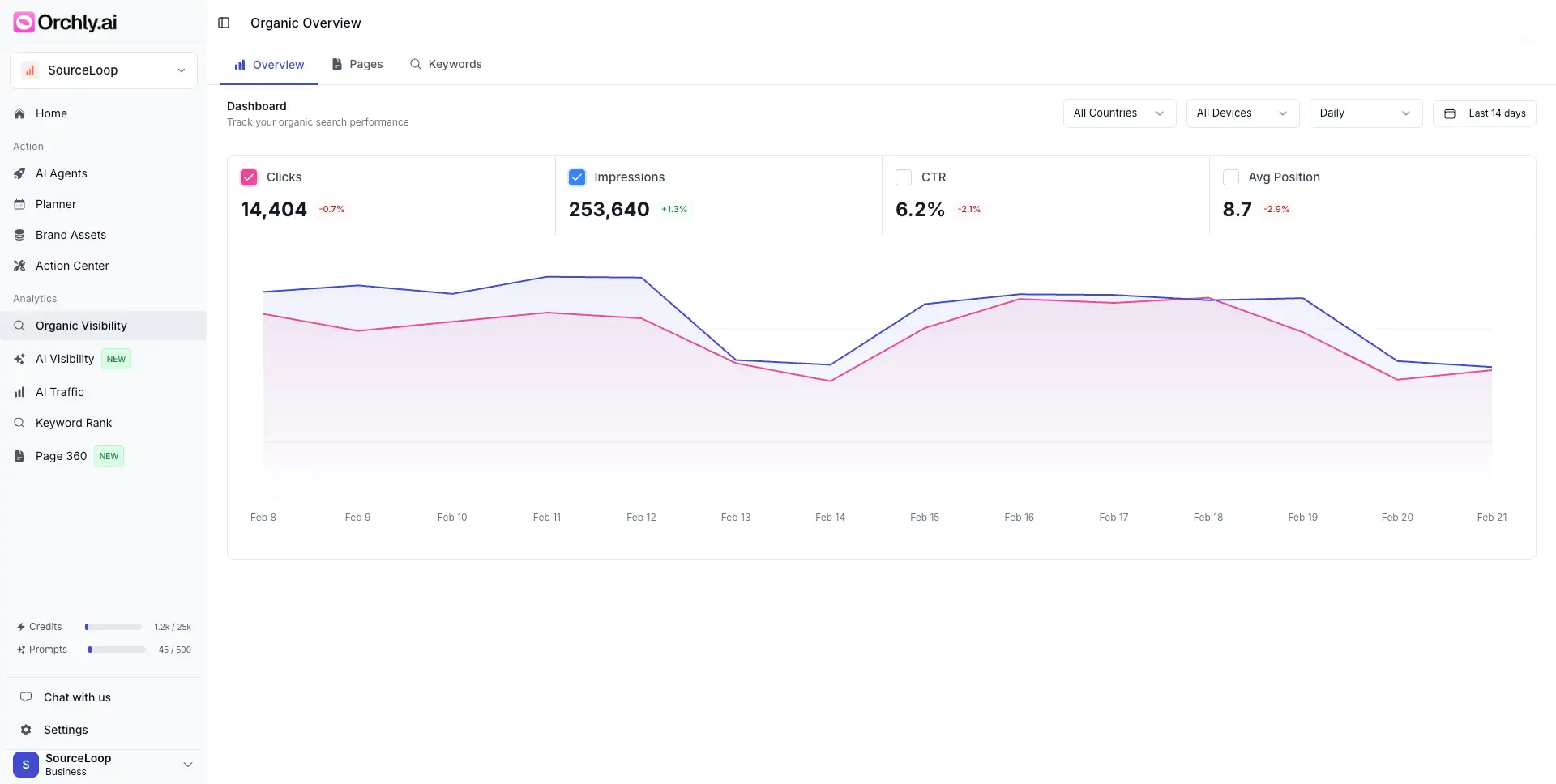
Get detailed insights for each page including impressions, clicks, average position, and CTR. Identify top-performing pages and opportunities for improvement across your entire site.
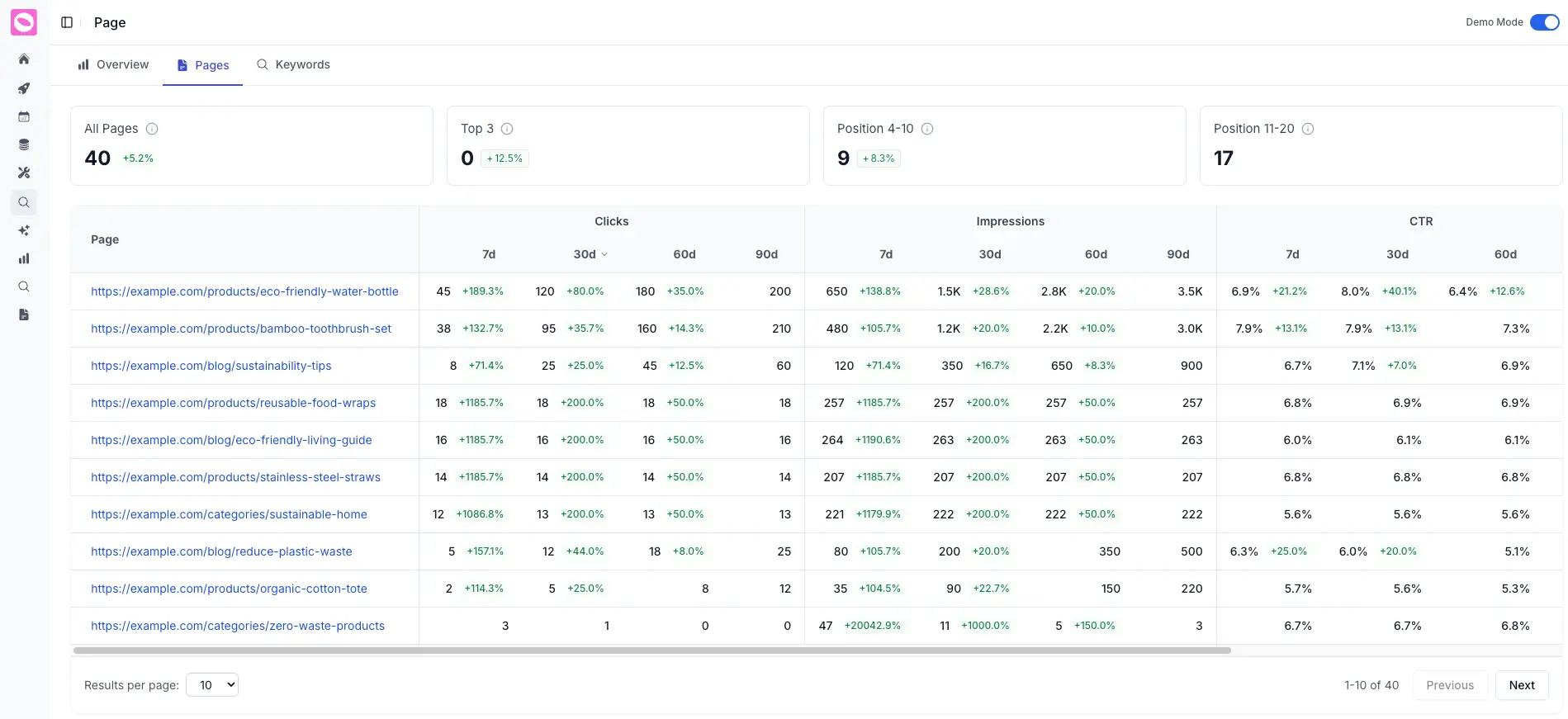
View impressions, clicks, CTR, and position for each page.
Identify best-performing pages and replicate winning strategies.
Find pages with high impressions but low clicks for improvement.
Dive deep into keyword-level data from Google Search Console. Track rankings, impressions, clicks, and CTR for individual search queries to optimize your content strategy.
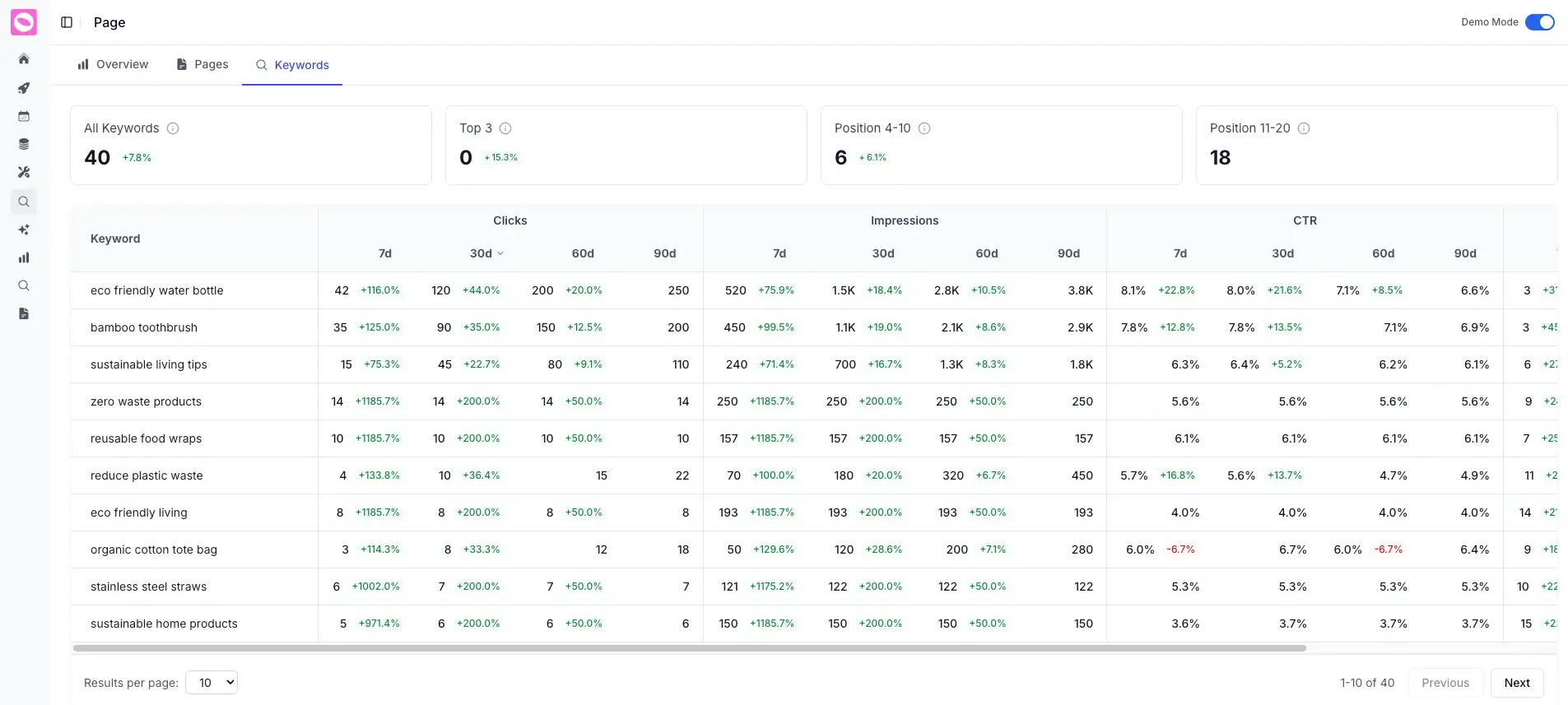
See which search queries drive traffic and understand user intent.
Monitor keyword positions over time to boost visibility.
Improve titles for keywords with high impressions but low clicks.
Our AI analyzes your Google Search Console data to identify opportunities for improvement. Then our specialized AI agents automatically handle the work from content creation to optimization.
Analyzes Google Search Console data to surface actionable insights.
Based on high-impression, low-click search queries
Pages with declining rankings and traffic
Pages with high impressions but low CTR
High-volume queries you're not ranking for
Specialized AI agents automatically handle content creation and optimization.
Writing SEO-optimized articles based on search query opportunities
Updating pages with declining rankings and traffic
Improving titles for pages with low CTR
Creating content for high-volume keywords you're not ranking for
Everything you need to know about Google Search Console integration. Book a demo
Connecting your Google Search Console account is simple. Go to the integrations section in your Orchly dashboard and click "Connect Google Search Console." You'll be redirected to Google to authorize the connection.
Once connected, Orchly automatically syncs your search performance data, including impressions, clicks, CTR, and average position for both pages and keywords.
Orchly syncs comprehensive data from your Google Search Console, including page-level metrics (impressions, clicks, CTR, average position) and keyword-level data (search queries, rankings, performance trends).
This data is updated regularly to give you the most current insights into your search performance and help identify optimization opportunities.
Orchly automatically syncs your Google Search Console data on a regular schedule. The frequency depends on your plan, but typically data is refreshed daily to ensure you have up-to-date insights.
You can also manually trigger a sync at any time from your dashboard if you need the latest data immediately.
Yes! Orchly supports tracking multiple Google Search Console properties. You can connect multiple properties and view their performance data side-by-side or separately.
This is especially useful for agencies managing multiple clients or businesses with multiple websites or subdomains.
Page-level insights show you how each individual page on your site performs in Google search. You can see which pages get the most impressions, clicks, and traffic, as well as their average position and CTR.
This helps you identify top-performing pages to replicate their success, and pages with high impressions but low clicks that need optimization.
Keyword-level insights show you exactly which search queries drive traffic to your site. You can see ranking positions, impressions, clicks, and CTR for each keyword.
This data helps you understand user intent, identify ranking opportunities, and optimize content to better match what searchers are looking for.
Absolutely. All data synced from Google Search Console is encrypted and stored securely. We use OAuth 2.0 for secure authentication and never store your Google credentials.
Your data is never shared with third parties and is protected with industry-standard security measures.
Yes! You can export your Google Search Console data from Orchly in various formats including CSV and JSON. This allows you to analyze the data in Excel, Google Sheets, or other analytics tools.
You can also use our API to integrate the data with your existing reporting and analytics workflows.